Search for "MOV vs MP4" and you'll read that MOV files are bigger and better quality, and that MKV is better than MP4. Those claims mix up two different things: the format of a video file and the way the video inside it is compressed. Once you separate the two, choosing a format becomes simple.
We also tested it. The results are below, and they're probably not what most comparison pages would lead you to expect.
Containers and codecs: the box and what's inside
Every video file has two layers.
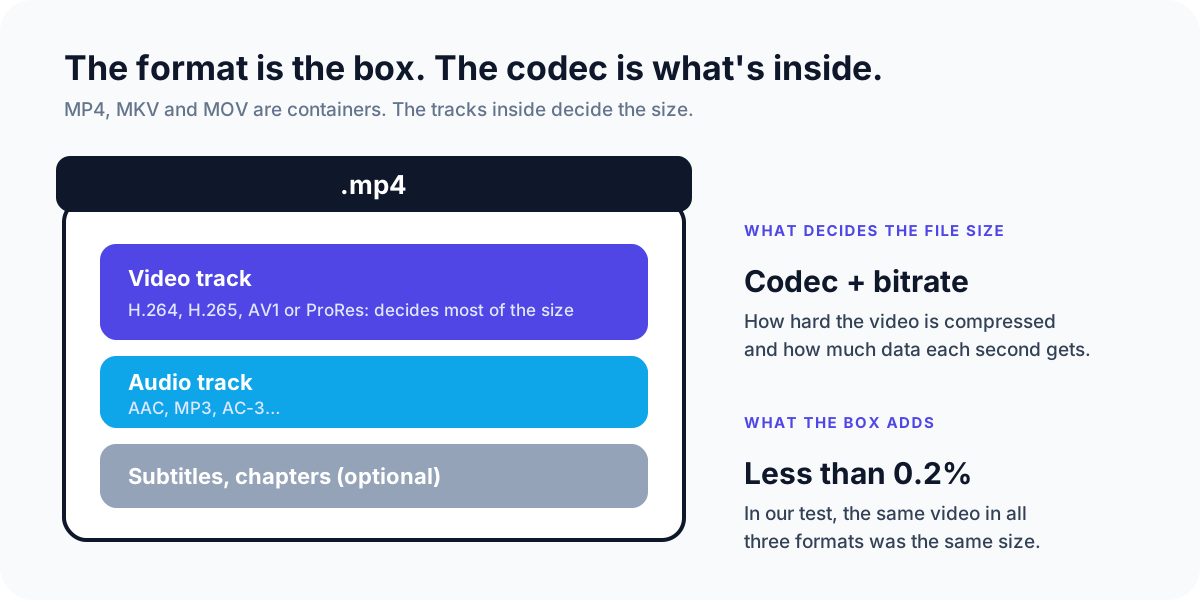
- The container is the file format you see in the name: .mp4, .mkv, .mov. It's a box that holds the tracks, keeps them in sync, and stores details like the length and chapters.
- The codec is how each track inside was compressed. For video that's usually H.264, H.265 (HEVC), AV1 or, in professional work, Apple ProRes. For audio it's usually AAC.
The codec and the bitrate, meaning how much data each second of video gets, decide almost all of the file size and quality. The box adds a few kilobytes of bookkeeping.
We put the same video in all three formats
To check, we took two freely licensed films, Blender's *Tears of Steel* (live action) and *Big Buck Bunny* (animation), and copied a two-minute section of each into MP4, MKV and MOV. Copying the tracks without re-compressing them is called remuxing: the video data stays exactly the same, and only the box changes.
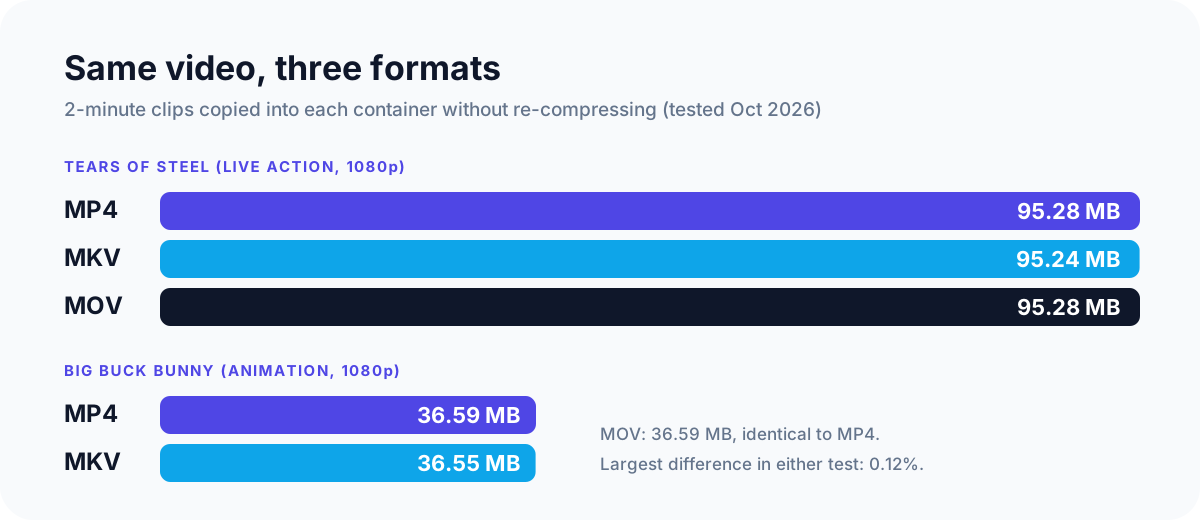
| Clip (2 minutes, 1080p) | MP4 | MKV | MOV |
|---|---|---|---|
| Tears of Steel | 95.28 MB | 95.24 MB | 95.28 MB |
| Big Buck Bunny | 36.59 MB | 36.55 MB | 36.59 MB |
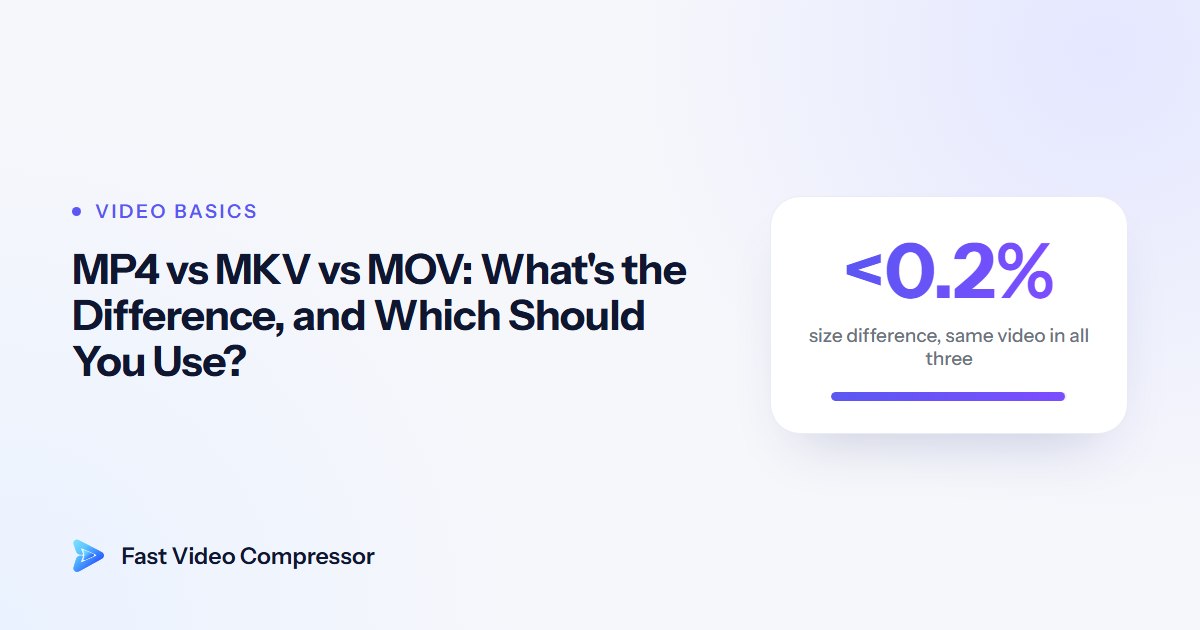
The biggest difference was 0.12%, and the picture is identical in all three because it's the same data. So if a MOV file is much bigger than an MP4 of the same video, the format isn't the reason. The video inside was compressed differently.
MOV vs MP4
MP4 was built on Apple's QuickTime format, which is MOV, so the two are close relatives. They can hold the same codecs, and a MOV and an MP4 of the same H.264 video are the same size, as the test shows.
So why do MOV files so often look bigger?
- Editing codecs. Cameras and editing apps often save MOV files using Apple ProRes, a codec designed for editing rather than sharing. ProRes 422 HQ at 1080p uses about 220 megabits per second, according to Apple's ProRes white paper. That's around 1.6 GB a minute, many times more than a typical H.264 MP4.
- Phone recordings. iPhones save video as MOV. With the default High Efficiency setting the video inside is H.265, which is already compact. Converting it to an H.264 MP4 at the same quality usually makes it *bigger*, not smaller.
Use MP4 for anything you share, upload or play on a TV or Android phone. Keep MOV while you're editing in Final Cut Pro, iMovie or similar, and when a camera or app gives you ProRes. Export to MP4 at the end.
MKV vs MP4
MKV (Matroska) is an open format. The Library of Congress describes it as an "open, non-proprietary multimedia container format", and it's used by film archives for preservation. Its strengths are flexibility:
- Many audio and subtitle tracks in one file, which is why films with several languages are often MKV.
- Almost any codec can go inside.
- Safer recordings. If a program crashes while writing an MKV, everything recorded up to that point is still playable. A half-written traditional MP4 often isn't.
The trade-off is playback. Windows 10 and 11, VLC and most smart TVs play MKV, but iPhones and iPads don't natively, many browsers won't, and MKV isn't on YouTube's list of supported upload formats (MP4 and MOV are).
Use MKV for recordings and for a home media library played through VLC, Plex or a TV. Use MP4 for anything you send or upload.
Quick comparison
| MP4 | MKV | MOV | |
|---|---|---|---|
| Effect on file size | None worth measuring | None worth measuring | None worth measuring |
| Plays on | Practically everything | Windows, VLC, most TVs; not natively on iPhone | Apple devices, Windows, most players |
| Multiple audio and subtitle tracks | Limited | Yes, very flexible | Limited |
| Survives a crash while recording | Not traditional MP4; OBS's Hybrid MP4 does | Yes | No |
| Best for | Sharing, uploading, phones, web | Recordings, film libraries | Editing in Apple apps, ProRes |
How to switch formats without losing quality
Because the container doesn't change the video, you can often switch formats without re-compressing: the remux we used in our test. It's quick and loses nothing.
- OBS recordings: in OBS, go to File > Remux Recordings, pick your MKV, and it becomes an MP4 in seconds. Newer versions of OBS (30.2 and later) also offer Hybrid MP4, which OBS's own documentation describes as recoverable after a crash while staying widely compatible, so you may not need MKV at all.
- Any file, for confident users: FFmpeg does the same thing with one command. It keeps every track as it is and only changes the box:
ffmpeg -i input.mkv -c copy output.mp4Remuxing to MP4 fails if the MKV contains something MP4 can't hold, such as certain subtitle formats. Our step-by-step guides cover the fixes: MKV to MP4 without losing quality and MOV to MP4 on Windows.
When you also want a smaller file
Switching format alone won't shrink a video. To make it smaller, you have to re-compress it: an efficient codec at a sensible bitrate, and a lower resolution if needed. Our guide to H.264 vs H.265 explains which codec to pick.
Fast Video Compressor does this in one step and shows the estimated size before you start. The free edition compresses MP4 files up to 2 GB into H.264 MP4. Pro also opens MKV, MOV, AVI, WMV, WebM and M4V, and can save as H.265 or AV1. If you'd rather use a free, more technical tool, see how to compress a video with HandBrake.
 Recommended DownloadDownload Fast Video Compressor - Free for Windows 10 & 11Download free
Common questions
Is MKV better quality than MP4?
No. Quality depends on the codec and bitrate of the video inside, not the container. The same video in MKV and MP4 looks identical, because it's the same data.
Will renaming .mov to .mp4 make it smaller?
No. Renaming changes only the label, not the data, and some players will refuse to open a file whose name doesn't match its contents. Remux or re-compress it properly instead.
Why is my MOV file so much bigger than the MP4 version?
Because the video inside was compressed differently, often with an editing codec like ProRes or at a higher bitrate. The container itself makes almost no difference.
Should I convert my iPhone videos from MOV to MP4?
Only if something you use can't open MOV. iPhone videos are usually H.265 already, so converting them to H.264 MP4 often makes them larger. Remux to MP4 if you just need the file extension.
Why is my AVI file so big?
AVI files usually contain older, less efficient codecs. Re-compressing them to H.264 or H.265 in an MP4 often shrinks them dramatically.
Sources and method
- Our test: two-minute sections of *Tears of Steel* and *Big Buck Bunny* (© Blender Foundation, CC BY), remuxed with FFmpeg 9.0 using stream copy into MP4, MKV and MOV, October 2026.
- Library of Congress: Matroska Multimedia Container
- Apple: Apple ProRes white paper
- YouTube Help: Supported YouTube file formats
- OBS: Hybrid MP4 format