لا إعدادات معقدة
يحلل الضغط الذكي كل فيديو ويختار التوازن المناسب بين الحجم والجودة. بلا ترميزات، بلا معدل بت، بلا تخمين.
- خيار واحد: الأصغر، أو المتوازن، أو أفضل جودة
- مضبوط لكل فيديو، وليس إعدادًا واحدًا للجميع
حوّل الفيديوهات الكبيرة إلى ملفات صغيرة بنقرات قليلة
صغّر حجم الفيديو بدون إنترنت على جهاز Windows 11 أو 10. شاهد الحجم الجديد قبل البدء، وقارنه بالأصل، ولا يُرفع أي شيء أبدًا.
ابدأ مجانًا · يعمل بدون إنترنت · بدون حساب
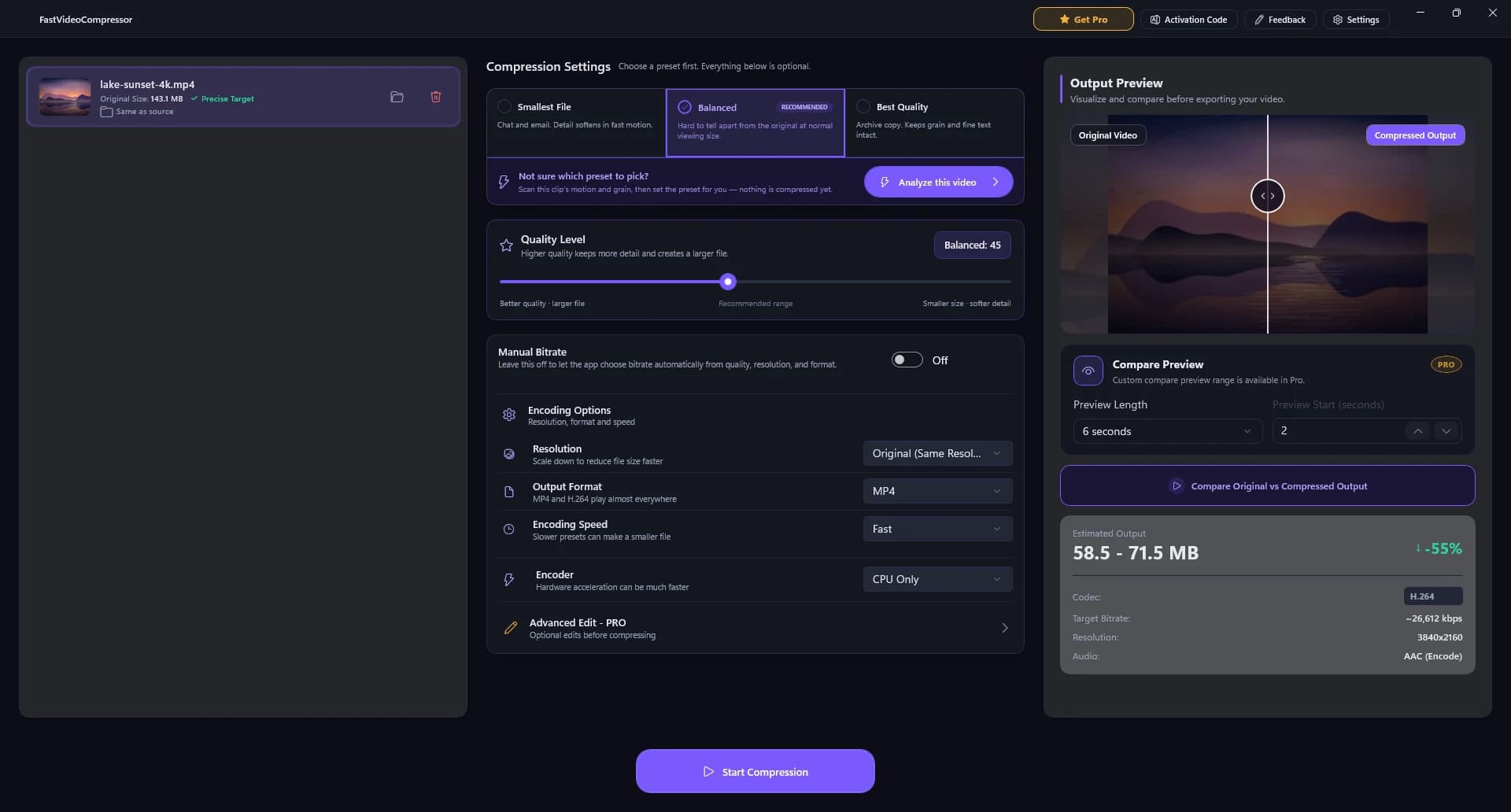
لا قوائم معقدة. هذا بالضبط ما تراه عند فتح Fast Video Compressor على Windows 11 أو 10.

أضفه. سترى اسم الملف وحجمه الأصلي.
أصغر ملف، أو متوازن (موصى به)، أو أفضل جودة.
اضبطه بشريط واحد إذا أردت تحكمًا أدق.
قارن بالأصل وشاهد الحجم الجديد قبل البدء.
نقرة واحدة. تُحفظ النسخة المضغوطة بجوار الملف الأصلي.
معظم برامج ضغط الفيديو تتطلب منك فهم الترميز ومعدل البت. أما Fast Video Compressor فيتخذ هذه القرارات عنك، فتصغّر حجم الفيديو دون أن تكون خبيرًا.
يحلل الضغط الذكي كل فيديو ويختار التوازن المناسب بين الحجم والجودة. بلا ترميزات، بلا معدل بت، بلا تخمين.
قارن الفيديو الأصلي بالنسخة المضغوطة جنبًا إلى جنب، وشاهد الحجم المتوقع قبل بدء التصدير.
قلّل حجم الملف بنسبة تصل إلى 90% مع بقاء الوجوه والنصوص والحركة واضحة. تعتمد النتيجة على الفيديو الأصلي والحجم الذي تختاره.
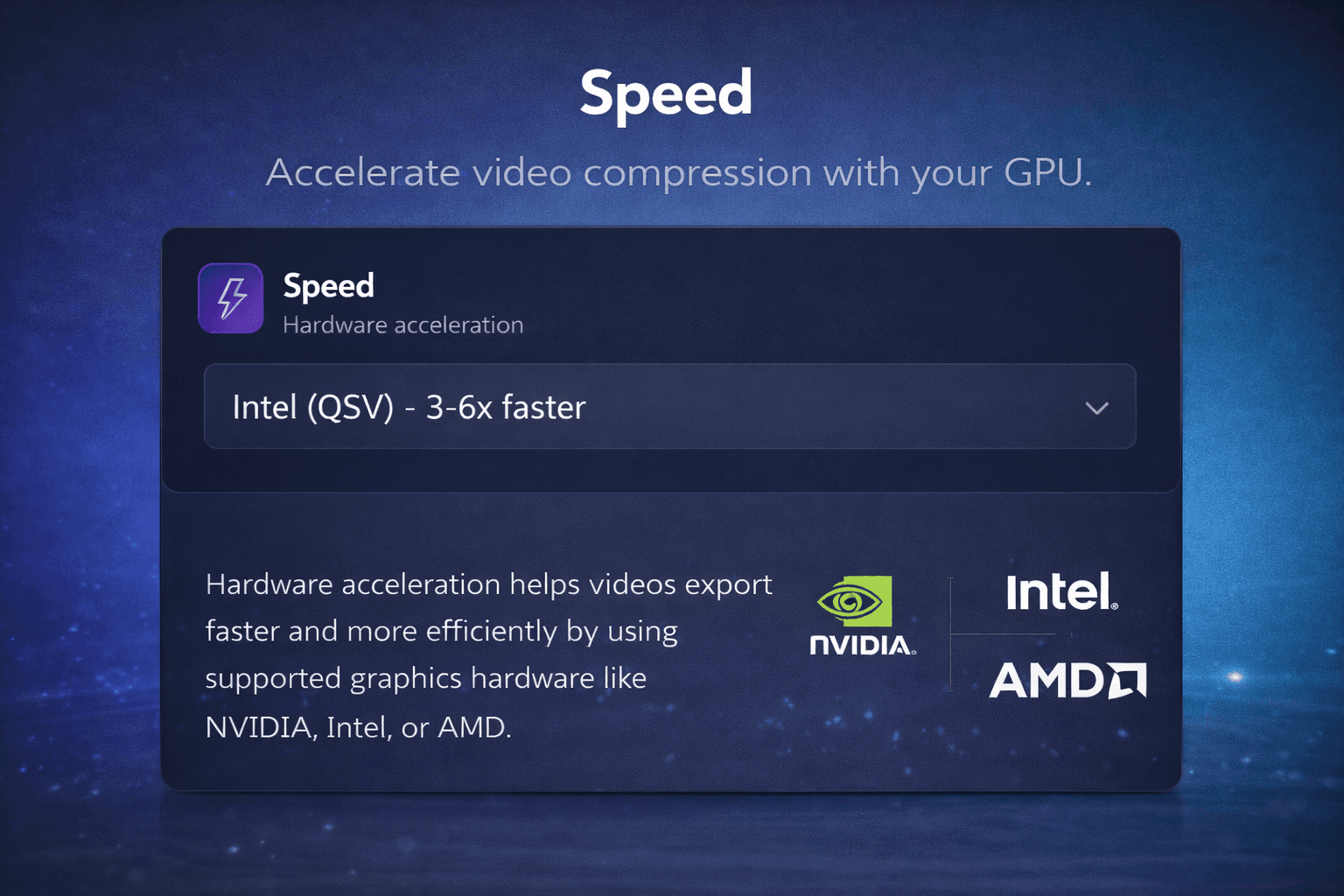
تستخدم نسخة Pro كرت شاشة Intel أو NVIDIA أو AMD للضغط بسرعة تصل إلى 3 أضعاف، فلا تستهلك التسجيلات الكبيرة وقتك.

مشفرات Intel Quick Sync وNVIDIA NVENC وAMD تتولى العمل الثقيل.
يختار أفضل توازن بين الحجم والجودة لكل فيديو.
اعرف حجم الملف قبل الضغط.
تحقق من النتيجة قبل التصدير النهائي.
أضف فيديوهات كثيرة واضغطها دفعة واحدة.
فيديوهاتك لا تغادر جهازك أبدًا.
حتى 2 غيغابايت مجانًا. بلا حد مع Pro.
MP4 مجانًا. MKV وAVI وMOV وWMV وWEBM وM4V مع Pro.
برنامج Windows أصلي يصغّر فيديوهاتك دون إرسال بايت واحد إلى السحابة - مثالي لحدود Discord ومرفقات البريد والأرشيفات الكبيرة.
قارن أفضل برامج ضغط الفيديو المجانية للكمبيوتر (بالإنجليزية) ←
so fast, no fuss
it does exactly what you need it to and its clear
The best video compressor I've ever used
I've used some video compressor apps, most of them doesn't look very Windows and some of them don't work properly (especially to large videos), this one doesn't have any issues I faced. It's also not a web app, it's an actual native app.
Easy to use
The layout and the options of the software is easy to understand and use
Excellent program
Gets the job done fast!
great app! <3
it's very fast and it helps me a lot!
Can set target file size
Very good, i can set the target file size.
Impeccable!!!
Simple!! Facile!! Efficace!!!
Easy to use
I like how easy it is to use and keeps good quality while reducing the video's file-size significantly. If it's had a one-time-purchase option (for a lifetime license) then I'd probably get it. As subscription only, I can't justify the ongoing expense (I can still use the free option or Handbrake software).
very good program
does everything i need, very useful and easy to use
très bon boulot et garde bien les ratio
love it
gets the job done albeit since its free you can only do it one at a time
school
I had to compress my files for EDtpa state teacher profile. It was quick and easy to figure out
It works!
It actually works. Is worth the money. Only thing it needs is the ability to have multiple videos.
its pretty good
fast and simple
does a great job
Easy to use
Great free compression tool
Have used this to compress videos for uploading to a website. This tool compresses quickly with minimal loss in quality. The GPU Acceleration is behind a paywall, but for smaller projects, the free CPU compression is great.
THE BEST
This is best I have seen on here. Very swift and fast.
Incredibly fast
Only faults, it only has a few languages available and it uses American English instead of English.
Quick and Easy Compressor
I really enjoyed my experience on Fast Video Compressor. I think it's an efficient tool for compressing videos quickly! To me it's more like a life savior. Thankyou
Works Very Well For a Free App
Have been using to compress video files to fit upload size limits and am achieving significant reduction without quality loss
My ideal compressor!
free & easy
free & easy
ótimo app
merece 5 estrela, amei.
Genial
Funciona de maravilla
excellent
I recently used this video compressor and I'm genuinely impressed with the results. The compression quality is outstanding - videos retain clarity, sharpness, and color even after reducing file size significantly. It works fast, supports multiple formats, and makes sharing large files extremely convenient.
Excellent and Super Fast!
Windows Fast Video Compressor is amazing - it reduces file size quickly without losing quality. Super easy to use, clean interface, and works perfectly even with large videos. Exactly what I needed for fast compression. Highly recommend!
Great compressor
What I love most is the simplicity - just select, compress, and done. No confusing settings or hidden steps. It's exactly what most users need: speed and reliability. Five stars all the way.
Impressive Speed and Quality Balance
Fast Video Compressor does exactly what its name promises. It delivers excellent compression speeds while maintaining crisp video quality. The user interface is minimal yet powerful, making it ideal for both beginners and professionals. I've tested it with multiple HD and 4K videos, and the results were consistently great - fast processing, stable performance, and no unnecessary ads or pop-ups. This app has become an essential part of my daily workflow. Highly recommend it for anyone who values efficiency and simplicity.
Excellent and Super Fast!
I've tried several video compressors before, but this one really stands out. The interface is clean, simple, and easy to use - no unnecessary clutter. It compresses large videos quickly without losing much quality, and the output size is perfect for sharing or uploading online. I also love that it supports multiple formats and works smoothly even on my mid-range laptop. Definitely a must-have tool for anyone dealing with big video files. Highly recommended!
بناءً على تقييمات Microsoft Store، ومنها 41 مراجعة مكتوبة بين 6 أكتوبر 2025 و11 أكتوبر 2026. تُعرض المراجعات باللغة التي كُتبت بها.
ابدأ بالإصدار المجاني من Microsoft Store، ثم رقِّ إلى Pro من داخل البرنامج - لا حاجة لحساب على الموقع.
$0للأبد
من Microsoft Store
$34.99/ سنة
$2.92/شهر، يُدفع سنويًا
$79.99دفعة واحدة
$119.99خصم 33%
دفعة واحدة
$7.99/ شهر
$7.99/شهر، يُدفع شهريًا
الأسعار من Microsoft Store؛ يعرض المتجر السعر الدقيق لبلدك عند الدفع، وقد تُضاف الضرائب.
Fast Video Compressor برنامج مجاني لضغط الفيديو على Windows 11 و10، يُثبَّت بأمان من Microsoft Store. إليك طريقة الحصول عليه وما يحتاجه.
تفتح صفحة Fast Video Compressor في تطبيق Microsoft Store.
يقوم Windows بتنزيله وتثبيته - بلا ملف .exe وبلا برامج إضافية.
أضف فيديو واضغطه. تُثبَّت التحديثات تلقائيًا.
Fast Video Compressor برنامج لضغط الفيديو بدون إنترنت على Windows 10 وWindows 11، يقلل حجم ملفات الفيديو الكبيرة دون رفعها إلى السحابة.
أضف ملف MP4 إلى Fast Video Compressor، واختر إعدادًا مسبقًا (Smallest File أو Balanced أو Best Quality)، وتحقق من الحجم المتوقع والمعاينة جنبًا إلى جنب، ثم انقر على Start Compression. كل شيء يتم على جهازك - لا يُرفع أي شيء.
يمكن تصغير كثير من الفيديوهات بنسبة تصل إلى 90%، حسب جودة المصدر والترميز والدقة والإعدادات المختارة.
كل ضغط يحذف بعض البيانات، لكن إعداد Balanced مضبوط بحيث يصعب تمييز النتيجة عن الأصل عند المشاهدة العادية. في اختبارنا أصبح مقطع 4K بحجم 143 ميغابايت 65 ميغابايت وبقي بدقة 4K. استخدم المعاينة جنبًا إلى جنب للتحقق قبل التصدير.
نعم. تتضمن نسخة Pro الضغط على دفعات، فتضيف عدة ملفات إلى القائمة وتعالجها مرة واحدة على جهاز Windows.
نعم. تتضمن نسخة Pro تسريع كرت الشاشة على أجهزة Intel وNVIDIA وAMD المتوافقة لضغط أسرع.
الإصدار المجاني يضغط ملفات MP4. ونسخة Pro تضيف MKV وAVI وMOV وWMV وWEBM وM4V.
نعم. الإصدار المجاني من Microsoft Store يضغط فيديوهات MP4 حتى 2 غيغابايت، واحدًا في كل مرة، دون حساب. أما Pro فترقية اختيارية داخل البرنامج تضيف كل الصيغ وتلغي حد 2 غيغابايت وتضيف تسريع كرت الشاشة والضغط على دفعات.
انقر على تحميل لنظام Windows في هذه الصفحة. سيفتح Fast Video Compressor في Microsoft Store؛ انقر على الحصول أو تثبيت وسيجهزه Windows - لا يوجد ملف .exe لتشغيله. يعمل على Windows 11 و10 (x64 وx86 وARM64).
أضف الفيديو، واختر Smallest File، وراقب الحجم المتوقع حتى يصبح أقل من الحد: 16 ميغابايت لفيديوهات واتساب، و10 ميغابايت لحسابات Discord المجانية، ونحو 20 ميغابايت للبريد. للحصول على حجم دقيق استخدم خيار Manual Bitrate.
نعم، إذا كنت تريد ضغطًا بسيطًا. يقدم HandBrake إعدادات ترميز أكثر بكثير؛ أما Fast Video Compressor فيمنحك ثلاثة إعدادات مسبقة وحجمًا متوقعًا مباشرًا ومعاينة جنبًا إلى جنب، فتحصل على ملف أصغر دون تعلّم الإعدادات.
نعم. كان Fast Video Compressor يُعرف سابقًا باسم SVP Video Compressor. إنه البرنامج نفسه من المطوّر نفسه، بعد تحديثه وتغيير اسمه.
يُوزَّع Fast Video Compressor عبر Microsoft Store، لذا يجتاز شهادة المتجر، ويتولى Windows تثبيته وتحديثه. يعمل بدون إنترنت ولا يرفع فيديوهاتك أبدًا.
الإصدار المجاني يعالج فيديوهات حتى 2 غيغابايت لكل ملف. ونسخة Pro تلغي هذا الحد. ولا يوجد أي حد للرفع، لأن كل شيء يتم على جهازك.