You have a video that won't open, an app that says "HEVC not supported", or a site that rejects your upload. The usual advice is to convert it to MP4. But "HEVC to MP4" mixes up two different things, and knowing which one you need can save you time, quality and disk space.
HEVC is the codec, MP4 is the box
A video file has two layers. The container is the file type you see: MP4, MOV, MKV. The codec is how the video inside was compressed: H.264, or its newer, more efficient successor H.265, also called HEVC.
So "convert HEVC to MP4" can mean three different jobs:
| What you have | What you actually need | How |
|---|---|---|
| A MOV from an iPhone (HEVC inside) | An MP4 file | Remux: lossless, takes seconds |
| An MP4 or MOV with HEVC that won't play | Playback on Windows | Install the HEVC Video Extensions |
| A video that must play on old devices, apps or sites | H.264 video | Re-encode to H.264 (bigger file) |
| A raw .hevc file (some drones, dashcams, cameras) | A playable MP4 | Remux with FFmpeg |
Just want to watch it on Windows? Don't convert
Windows doesn't always include an HEVC decoder. The HEVC Video Extensions from the Microsoft Store add it, after which Media Player, Photos and most apps play HEVC videos as they are. Can I use shows that Chrome, Edge and Firefox also play HEVC when the computer's graphics hardware supports it.
That keeps the original file, its quality and its small size.
What converting HEVC to H.264 costs: our test
When a video really must be H.264, for an older TV, an app, or a site that won't take HEVC, you have to re-encode it. We measured what that does, using a 15-second clip of the film *Tears of Steel* and VMAF, Netflix's quality score:
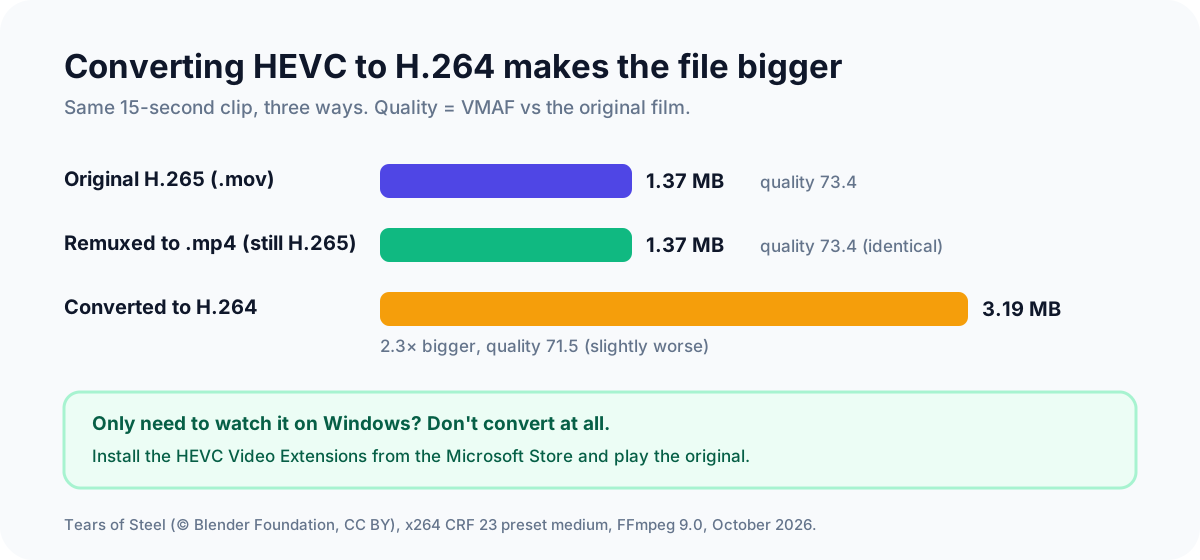
| Version | Size | Quality (VMAF) |
|---|---|---|
| Original H.265 | 1.37 MB | 73.4 |
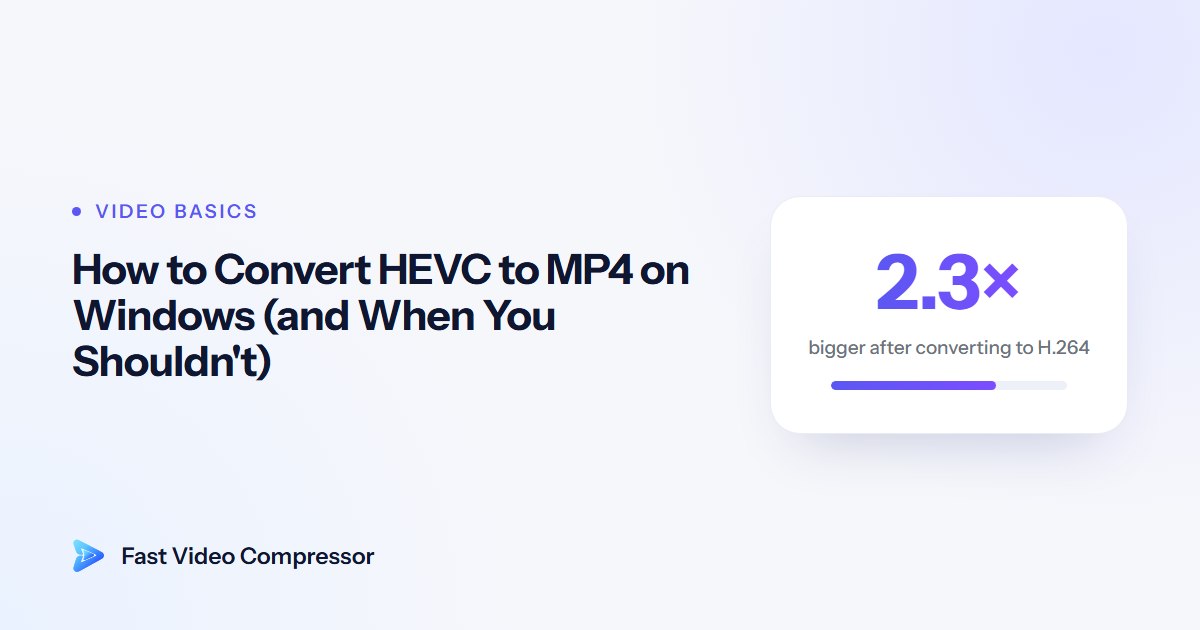
| H.264, standard setting (CRF 23) | 3.19 MB (2.3× bigger) | 71.5 |
| H.264, high-quality setting (CRF 20) | 4.57 MB (3.3× bigger) | not measured |
That's the trade-off: H.264 plays almost everywhere, but it needs much more data for the same picture, and converting from an already-compressed file can't add back any detail. Our H.264 vs H.265 comparison explains why.
How to convert HEVC to H.264 (MP4), free
HandBrake
- Download HandBrake from handbrake.fr and open your video.
- Choose the Fast 1080p30 preset, which uses H.264.
- Keep MP4 as the format and click Start Encode.
To keep the file from growing too much, use the RF ranges in our guide to compressing a video with HandBrake.
FFmpeg (one command)
Install it with winget install Gyan.FFmpeg in Terminal, open a new Terminal in your video's folder, and run:
ffmpeg -i input.mp4 -c:v libx264 -crf 23 -preset medium -c:a copy output.mp4-crf 23 is a balanced quality setting; a lower number means higher quality and a bigger file. -c:a copy keeps the audio as it is.
Fast Video Compressor
Fast Video Compressor saves H.264 MP4 and shows the estimated size before you start, so you can see how much the file will change. The free edition accepts MP4 files up to 2 GB; MOV files from iPhones need Pro, or you can remux them to MP4 first.
 Recommended DownloadDownload Fast Video Compressor - Free for Windows 10 & 11Download free
If you have a MOV or a raw .hevc file
iPhone MOV (HEVC inside): remux it into an MP4 without re-encoding. It's instant and lossless; our guide to converting MOV to MP4 has the command.
Raw .hevc file: some drones, dashcams and security cameras save just the video stream, with no container, so many players won't open it. FFmpeg can wrap it in an MP4 without re-encoding, but you have to tell it the frame rate (check your device's settings; 30 is common):
ffmpeg -framerate 30 -i input.hevc -c copy -tag:v hvc1 output.mp4We tested this on a raw H.265 stream, and the MP4 played with the correct length and frame rate.
Common questions
Is HEVC the same as MP4?
No. HEVC (H.265) is a codec, the method used to compress the video. MP4 is a container that can hold HEVC, H.264 and other codecs. Many MP4 files already contain HEVC video.
Why won't my HEVC video play on Windows?
Windows doesn't always include an HEVC decoder. Install the HEVC Video Extensions from the Microsoft Store, or play the file in VLC, which includes its own decoder.
Does converting HEVC to H.264 lose quality?
A little, because the video is compressed again. In our test the quality score dropped from 73.4 to 71.5 even though the file grew 2.3 times. Keep the original if the video matters.
Why is the converted file so much bigger?
H.264 is less efficient than H.265, so it needs more data for a similar picture. In our tests it ranged from 2.3 to 3.3 times bigger, depending on the quality setting.
Can I convert HEVC to MP4 without losing quality?
Yes, if you only need a different container: remux it and the HEVC video is copied unchanged. Changing the codec to H.264 always means some loss.
Sources and method
- Our test: a 15-second, 1080p H.265 clip of *Tears of Steel* (© Blender Foundation, CC BY), converted to H.264 with FFmpeg 9.0 (x264, preset medium, CRF 23 and 20) and scored with VMAF against a lossless copy, October 2026. Raw stream remux tested with an H.265 elementary stream at 24 fps.
- Microsoft Store: HEVC Video Extensions
- Can I use: HEVC/H.265 video format support
- HandBrake: handbrake.fr