If you searched for SVP Video Compressor and landed here, you're in the right place. The app has a new name: Fast Video Compressor. It's the same Windows app from the same developer. It still runs offline and is still free to start.
This post explains what changed, what didn't, how to update, and what to do if something doesn't look right.
Why the name changed
"SVP" didn't tell anyone what the app does. The new name, Fast Video Compressor, says it straight away: it makes video files smaller, quickly, on your PC. It's also easier to remember and easier to find in the Microsoft Store.
The new name also avoids confusion with other software called "SVP" (more on that below).
SVP Video Compressor vs SVP (SmoothVideo Project)
These are two different products:
- SVP Video Compressor, now Fast Video Compressor, makes video files smaller. That's this app.
- SVP (SmoothVideo Project) is separate software from a different developer. It converts video to a higher frame rate for smoother playback. It isn't a compressor and has no connection to this app.
If you wanted smoother motion when watching videos, you're looking for SmoothVideo Project. If you want smaller video files, keep reading.
What stayed the same
- It's still a Windows app. It runs on Windows 11 and Windows 10 PCs and laptops, including ARM devices.
- It still works offline. Your videos never leave your computer. Nothing is uploaded to a server.
- It's still free to start. The free edition compresses MP4 videos up to 2 GB each.
- It still comes from the Microsoft Store. Windows installs and updates it for you, so there's no separate setup file to run.
What's new
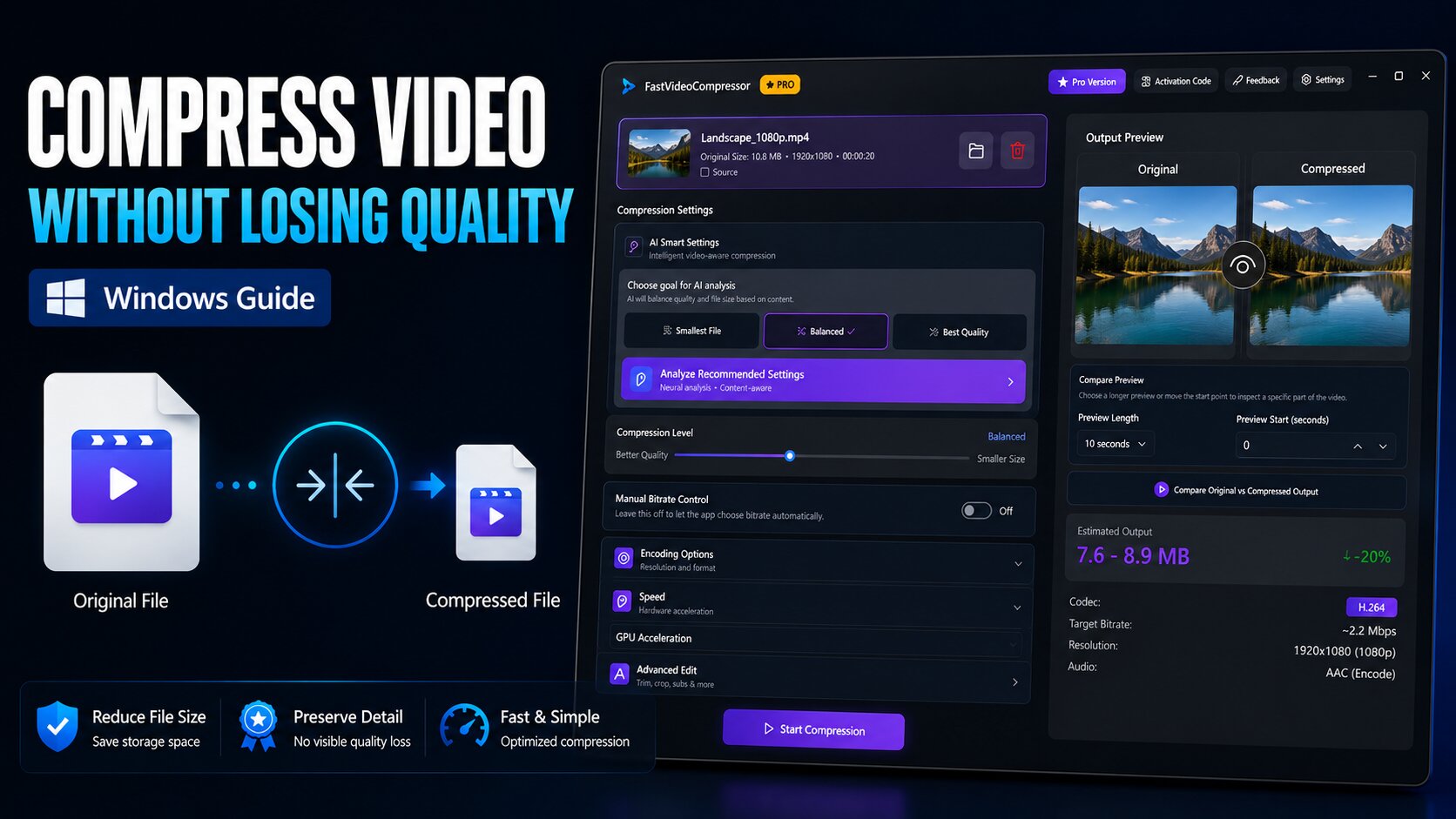
The app has been redesigned so the whole job fits on one screen:
- Three simple presets. Choose Smallest File, Balanced or Best Quality, and the app picks the settings for you.
- Estimated size before you start. You see roughly how big the new file will be before you click compress.
- Side-by-side preview. Compare the original and the compressed version before you save anything.
- Resolution options. Keep the original resolution or switch to 1080p, 720p or 480p for an even smaller file.

Free vs Pro at a glance
| Free | Pro | |
|---|---|---|
| Formats | MP4 | MP4, MKV, AVI, MOV, WMV, WEBM, M4V |
| File size | Up to 2 GB per video | No limit |
| Videos at a time | One | Many (batch) |
| Graphics card speed-up | No | Yes, up to 3× faster |
| Presets, size estimate and preview | Yes | Yes |
| Works offline | Yes | Yes |
Pro is an optional in-app upgrade.
I already have SVP Video Compressor. Do I need to do anything?
Usually not. Because the app comes from the Microsoft Store, Windows updates it automatically. You'll see the new name and design after the update arrives.
If you want to update right away:
- Open the Microsoft Store app.
- Click Library (bottom left).
- Click Get updates.
If you bought Pro through the Microsoft Store, the purchase is tied to your Microsoft account, so it carries over to the new version.
How to download it if you don't have it yet
Click the download button below. It opens Fast Video Compressor in the Microsoft Store. Click Get or Install and Windows sets it up. You don't need an account on this website.
Recommended DownloadDownload Fast Video Compressor - Free for Windows 10 & 11Download freeIf something doesn't look right
I still see the old name. The update hasn't arrived yet. Use Get updates in the Microsoft Store Library, then restart the app.
My Pro features aren't showing. Make sure you're signed in to the Microsoft Store with the same Microsoft account you used to buy Pro, then restart the app.
Common questions
Is SVP Video Compressor the same as Fast Video Compressor?
Yes. It's the same app from the same developer. SVP Video Compressor was renamed to Fast Video Compressor and given a new design.
Where can I download SVP Video Compressor now?
From the Microsoft Store, where it's listed as Fast Video Compressor. There's no separate SVP download or .exe installer, so avoid files with that name on other sites.
Can I keep using the old SVP version?
The Microsoft Store keeps the app updated to the current version automatically. The latest version has the new presets, the size estimate and the side-by-side preview, so there's no reason to stay on the old one.
Is SVP Video Compressor related to SmoothVideo Project?
No. SmoothVideo Project (also called SVP) is a different program from a different developer that makes video playback smoother. It doesn't compress videos.
Does it still work on Windows 10?
Yes. It works on Windows 11 and Windows 10, on regular and ARM PCs. It doesn't support Windows 7 or 8.
Is it still free?
Yes. The free edition compresses MP4 videos up to 2 GB each. Pro is an optional upgrade inside the app.
In short
SVP Video Compressor is now Fast Video Compressor: same developer, same offline privacy, and a simpler design. To learn how to get the best results, read our guide to compressing video without losing quality on Windows.